Revoking Documents (Code)
For the current step, you can either opt to use the CLI or Code.
Installation
npm install --save @trustvc/trustvc
Usage
To use the package, you will need to provide your own Web3 provider or signer (if you are writing to the blockchain).
Refer to the pre-requisite on document store deployment.
Revoking on document store
The TrustVC library provides a documentStoreRevoke function that supports both ethers v5 and v6, and automatically detects the document store type (standard, transferable, or legacy TT document store).
import { documentStoreRevoke } from "@trustvc/trustvc";
import { Wallet, ethers } from "ethers";

// Setup wallet and provider
const wallet = new Wallet("privateKey");
const provider = new ethers.JsonRpcProvider("https://sepolia.infura.io/v3/YOUR_INFURA_KEY");
const signer = wallet.connect(provider);

// Revoke a document hash from the document store
const tx = await documentStoreRevoke(
  "0x63A223E025256790E88778a01f480eBA77731D04", // Document store address
  "0x8dcf358a9436bca6654f565e3c5843d91c0052d3a2eff37bbd380038e8a1fa39", // Document hash (targetHash)
  signer,
  {
    maxFeePerGas: "50000000000", // Optional: EIP-1559 gas settings
    maxPriorityFeePerGas: "2000000000",
  },
);

const receipt = await tx.wait();
console.log(`Document revoked in transaction: ${receipt.hash}`);
Verify document revocation
After revoking, you can verify that the document has been revoked:
import { DocumentStore__factory } from "@trustvc/trustvc";
import { Wallet, ethers } from "ethers";

const wallet = new Wallet("privateKey");
const provider = new ethers.JsonRpcProvider("https://sepolia.infura.io/v3/YOUR_INFURA_KEY");
const signer = wallet.connect(provider);

// Connect to the document store
const documentStore = DocumentStore__factory.connect(
  "0x63A223E025256790E88778a01f480eBA77731D04",
  signer
);

// Check if document is revoked
const isRevoked = await documentStore.isRevoked(
  "0x8dcf358a9436bca6654f565e3c5843d91c0052d3a2eff37bbd380038e8a1fa39"
);
console.log(`Has been Revoked: ${isRevoked}`); // Has been Revoked: true
Please refer to TrustVC Document-Store repository for more information on available interfaces and methods.
Verifying the document
Head to dev.tradetrust.io and drag and drop the revoked document. An error will be displayed by the portal.
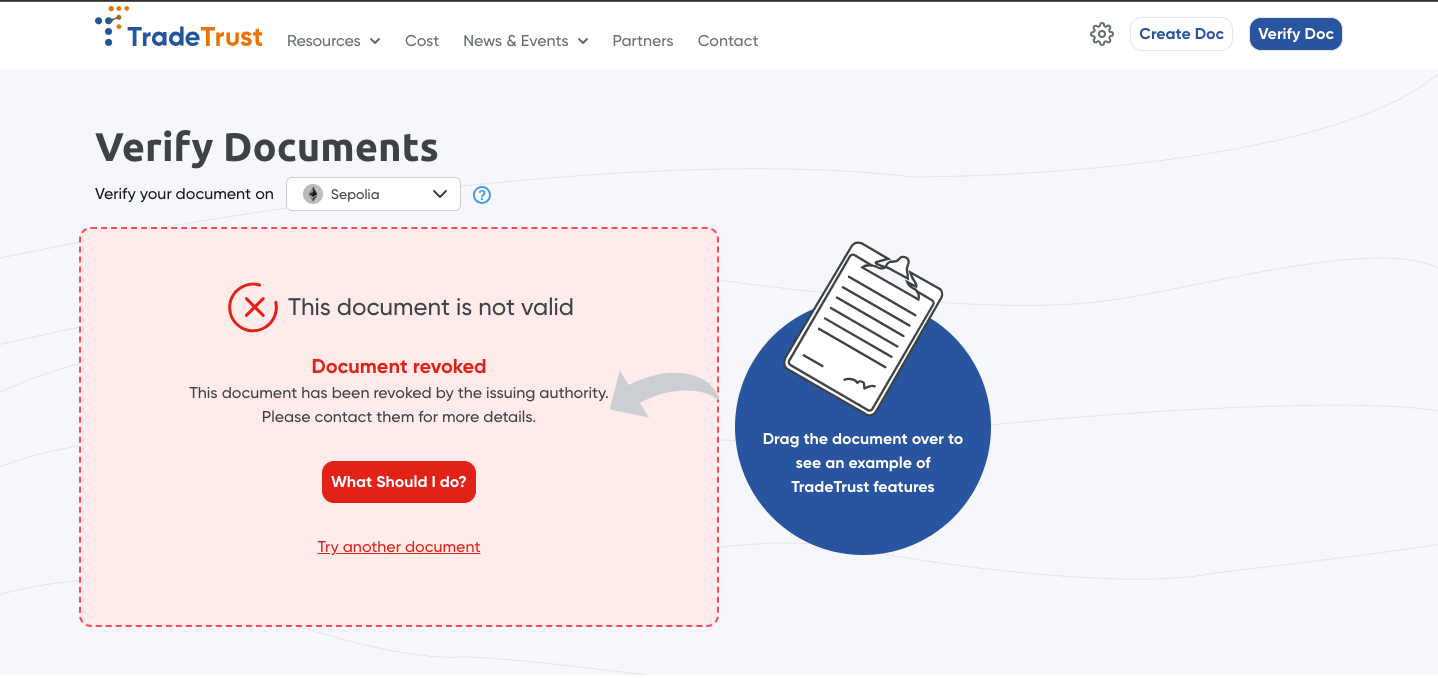
The document has been revoked, thus, we do not display the content of the document on our document viewer.
Misc questions:
Q: hey you mentioned that if I use DID documents, I would not need to pay for transactions, but following this flow, I would still have to pay for at least 1 transaction (deploying a documentStore), what gives?
A: yes, you are right, for now this implementation will still need at least 1 transaction to the ethereum blockchain. We are working on this so please be patient and watch this space.
Q: this might be a weird question but I did not issue any documents from the deployed documentStore, how am I able to revoke this document from said documentStore when in the first place, I did not even issue anything?
A: long story short, the revocation mapping in the documentStore is a separate mapping from the issued mapping.